


Telegram users who accidentally delete a chat or message have several ways to recover the lost text, depending on how it was deleted.

The messaging app does not store chat backups on its servers in the way WhatsApp does. WhatsApp belongs to Meta, a company recognized as extremist and banned in Russia. If a user deletes a secret chat, deletes their profile, or selects the option to delete messages for all participants, the messages are permanently removed.
Undoing a deletion
The simplest way to recover a chat is to cancel the deletion immediately. Telegram provides a five-second window after a user deletes a message, showing an undo button at the bottom of the screen. Pressing this button restores the chat, even if the user selected to delete for everyone.

On some devices, users can shake their phone before closing the application to trigger an undo function for the last action.
Checking the archive
Chats are sometimes archived accidentally rather than deleted. Users can check for missing conversations by opening their full chat list and pulling down on the screen to reveal the Archive folder.
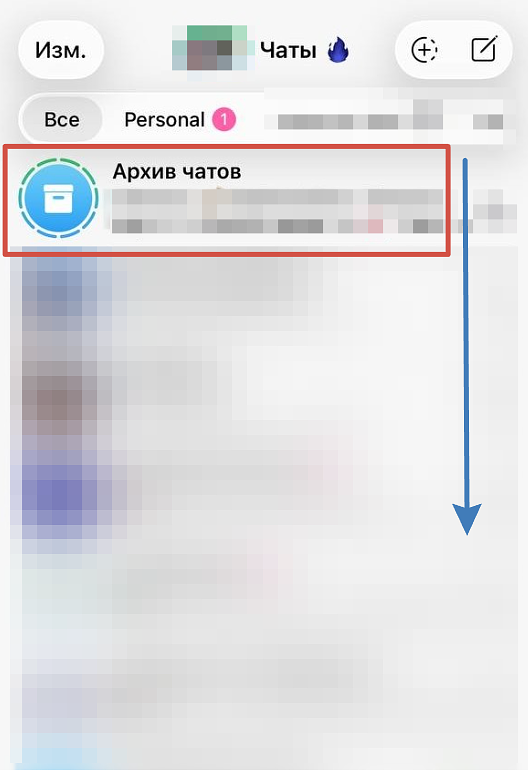

If the missing chat is in the archive, users can swipe left on the conversation and press the return button to move it back to the main list.
Using offline devices
Users who have Telegram installed on multiple devices might be able to recover a chat if a secondary phone or tablet was offline when the deletion occurred. The user must turn on airplane mode on the offline device before opening Telegram.
Once the app is open without an internet connection, the user can take screenshots or copy the text before the application syncs and receives the deletion command. This method does not work for secret chats, which are stored only on the specific devices used for the conversation and do not sync across devices.
Asking the recipient
If a user deletes a standard chat only for themselves, the conversation remains on the other person's device. The user can ask their contact to forward the specific messages or send screenshots.

Recovering media files
Photos, videos and documents from deleted chats may remain in a device's cache or gallery, particularly if the user opened or saved them manually.
Android users can check their internal storage by navigating to the Telegram folder and looking in the Telegram Images and Telegram Video directories.
iPhone users can check their photo album for saved media. They can also check the application cache by opening the settings menu and selecting Data and Storage, which shows how much space temporary files use, but viewing the contents requires additional tools.
Contacting support
Telegram does not restore deleted chats upon request because the database of deleted messages is not stored on its servers in an accessible format. Support representatives can only assist with hacked accounts or other unusual situations through the @SpamBot account or the telegram.org/support website.
Exporting desktop chats

Users can prevent data loss by exporting their chats using the desktop version of Telegram for Windows, Mac or Linux.
After downloading the application from the official website and logging in, users can open a chat, click the three dots in the upper right corner, and select the chat export option. Users can choose to include media files and save the data in HTML format for reading or JSON format for storing data.
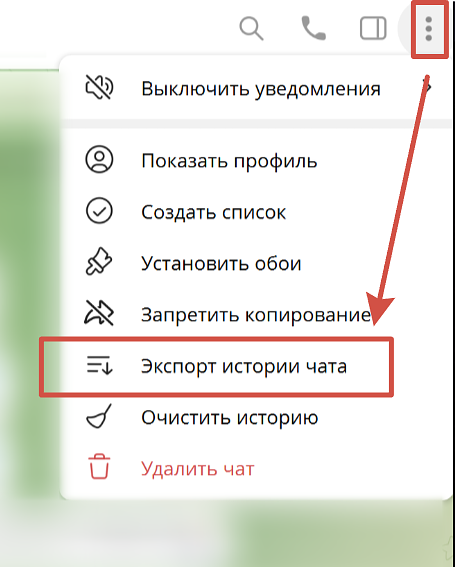
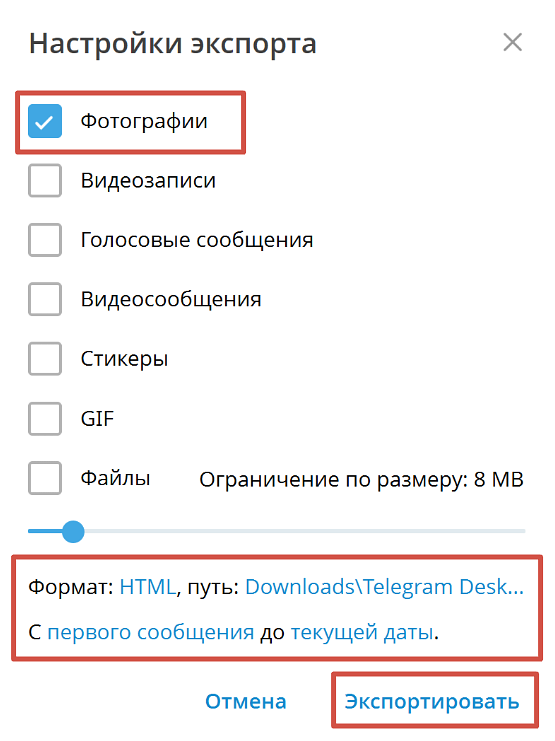
Users can also forward important documents and links to their Saved Messages chat, which serves as a built-in archive with no volume limit.
Auto-saving media
Telegram users can manually copy text and take screenshots to save in their gallery, or they can configure the application to automatically save photos and videos from chats.
In the application settings, users can open the Data and Storage menu and configure the automatic media download options to specify which data should download over mobile networks and Wi-Fi.
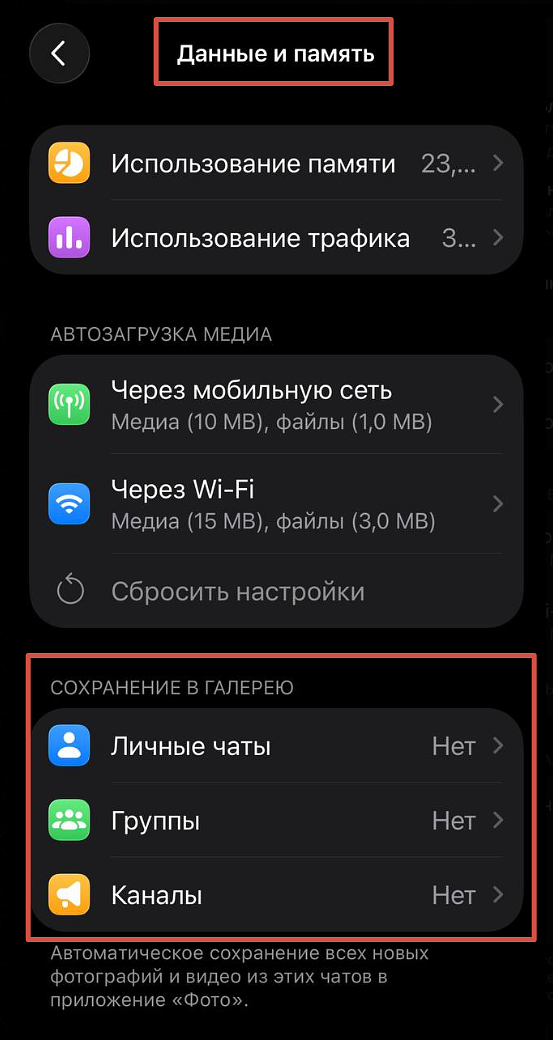
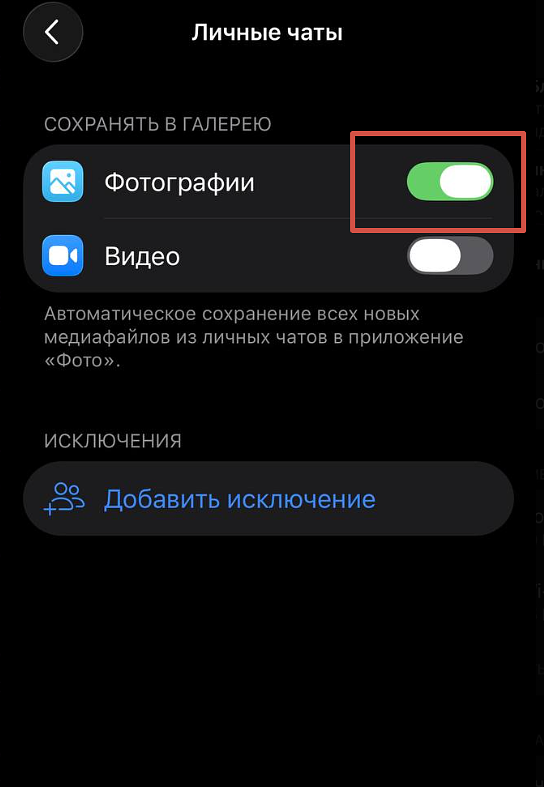
In the same menu, users can adjust the auto-save media options to specify which types of files should be saved automatically to their phone gallery from different chats.
For conversations with legal or business value, users can export the chat files and upload them to cloud storage services such as Google Drive, iCloud or Yandex Disk.


