


Smart TV owners are frequently leaving default factory settings unchanged, causing new televisions to display lower picture quality than intended, technology website MakeUseOf reported.
When shoppers compare display models in retail stores, differences in screen brightness and color reproduction appear obvious between neighboring sets. Once a television is purchased and set up at home, however, those visual advantages often vanish because owners rarely adjust initial picture configurations.

Consumer technology publication MakeUseOf noted that users do not need to spend hours adjusting every obscure menu parameter to fix display issues. Instead, adjusting the primary picture mode setting provides an immediate improvement in display performance.
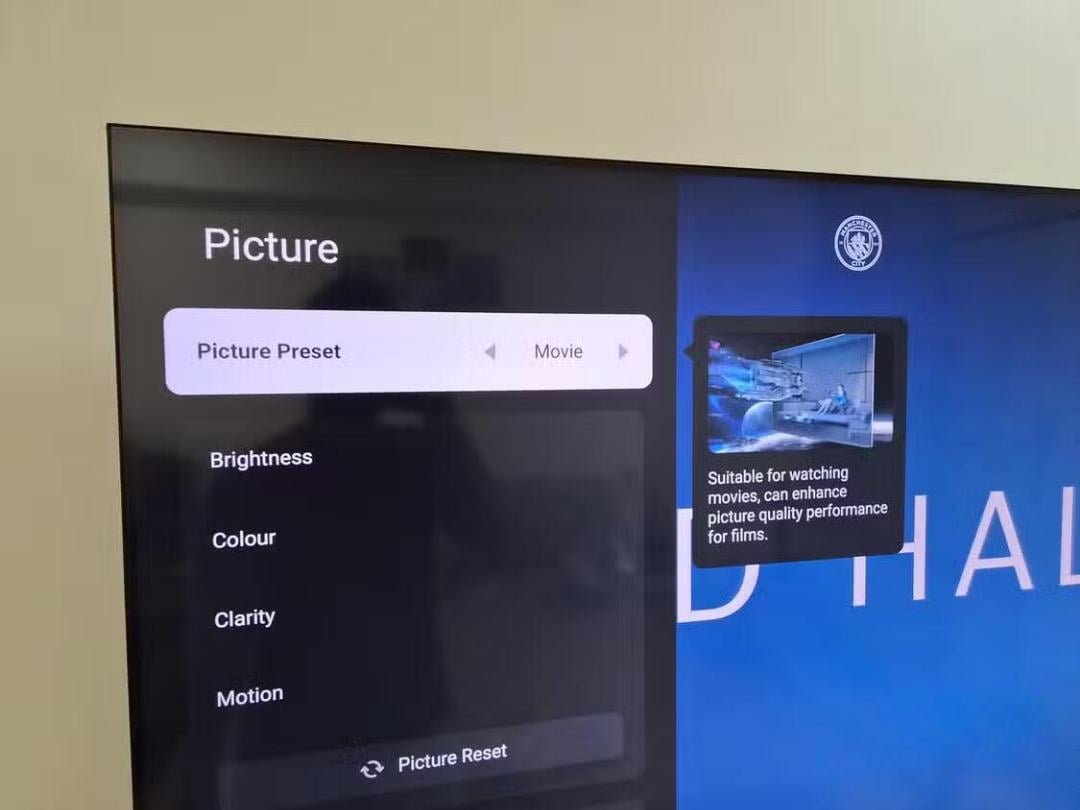
Picture modes on a television are pre-configured display presets designed for specific viewing environments and content types. Selecting a mode automatically recalibrates multiple parameters at once, including screen brightness, contrast, color temperature (which controls the warmth or coolness of white tones), backlight intensity, and motion processing algorithms.
Preset picture modes for specific content
While menu terminology varies among manufacturers, televisions typically include presets labeled Standard, Cinema, Vivid, Sports, and Game. Cinema mode is tailored for evening viewing, eliminating the need to manually adjust brightness in dark rooms. Users can select Cinema mode and then further customize individual settings such as brightness, contrast, and sharpness without resetting the unit completely.
Sports mode increases color saturation and overall brightness to make on-screen action clearer during daytime or lit environments. The setting prioritizes motion processing to reduce blurring during high-speed movement, making fast-moving objects easier to track during football matches or Formula 1 motor races.
Game mode takes the opposite approach by minimizing video processing to reduce input lag, which is the latency delay between a player pressing a controller button and the action rendering on screen. Although graphics may appear less visually dramatic with reduced processing, players can fine-tune image properties through their connected gaming console or personal computer.
No single picture mode serves as a universal setting for all viewing scenarios. Optimal performance depends on the specific television hardware, ambient room lighting, and personal preference, making it best to switch presets depending on whether one is watching movies, playing games, or viewing sports.
Additional screen settings and picture processing
Selecting an appropriate picture mode represents only the initial step in optimizing display quality. When viewing High Dynamic Range (HDR) content, which expands the contrast range between light and dark areas, users should verify that HDR settings or Dynamic Tone Mapping functions are enabled if supported by the display.
Many modern televisions feature automatic ambient light sensors that adjust screen brightness according to room illumination. While designed for convenience, automated lighting algorithms do not always deliver the image brightness expected by viewers.
For displays showing soft or blurry images, reviewing motion smoothing controls, Eco Mode power-saving features, and sharpness sliders is recommended. Disabling redundant post-processing features frequently yields a clearer, more natural picture.
Related television and technology developments
In related consumer technology coverage, industry experts identified an affordable OLED television from Samsung Electronics that performs comparably to flagship display models. The unit was highlighted as a suitable entry point for consumers planning to upgrade to organic light-emitting diode technology.
Ukrainian news agency UNIAN also previously reported on why some television owners place a piece of aluminum foil beneath their sets for signal and interference management.
UNIAN further cited recent consumer technology developments, including testing where camera capabilities on Google Pixel smartphones rivaled the iPhone 17 Pro, a roundup of five top mid-range smartphones available on the market, and Apple presenting a final hardware device marking the end of the Tim Cook executive era.


